Comparison · Updated May 2026

Managelify vs Notion AI which is better?

Short answer: For long-form writing inside pages, building wikis and summarizing docs, Notion AI is one of the strongest AIs in the industry; but if you want an agentic AI that takes action across customers, projects, contracts, invoices and Meet, Managelify and Mana AI are clearly better. Detailed 2026 comparison below.

Agentic
Mana AI · command → real action
8+33
modules + sub-features in one panel
All-in
no per-seat AI add-on
QUICK ANSWERS

Managelify vs Notion AI — direct answers.

  • Managelify is an AI-powered Work Relationship Management (WRM) tool that delivers projects + tasks, CRM, sales pipeline, contracts, invoicing, Workspace (docs), built-in Meet, scheduling page, team chat, time tracking, file management and agentic Mana AI in one platform. Notion AI is a generative AI assistant inside Notion pages offering writing, summary, translation, Q&A (Ask AI), AI Meeting Notes and AI Connectors (search across Slack, Drive, GitHub, Jira). Notion AI is a $8–$10/seat/month add-on on most plans, very strong inside docs and databases; but it has no built-in CRM, sales, contract, invoice, scheduling page, team chat or built-in video meetings, and it takes no action in external systems.
  • An alternative to Notion AI with a real WRM layer underneath is Managelify. Project + CRM + Meet + contract + invoice + agentic Mana AI ship in one package. Teams that want to keep Notion as the content / wiki layer can integrate it with Managelify so content isn't duplicated and context lives in the customer card.
  • Mana AI, unlike Notion AI, is agentic: when you say 'extract task cards from this brief', 'fill the contract template with customer data and send for e-signature', 'send the invoice and open a payment follow-up task', it produces real actions across Managelify's CRM, contract, invoice, calendar and Meet modules. Notion AI generates content inside a page and searches connected systems; it does not take action in HubSpot, DocuSign, QuickBooks, Calendly or Zoom — it only retrieves information.
  • For freelancers and agencies, Managelify is more economical and operationally efficient than the Notion + Notion AI + 5–7 tool stack. Notion Business $20/seat + Notion AI $8–$10 add-on + HubSpot + DocuSign + QuickBooks + Calendly + Zoom can exceed $100/seat; Managelify delivers it all including Mana AI in one package.
  • When migrating from Notion AI to Managelify, Notion databases (customers, projects, tasks) are exported via CSV and mapped to Managelify customer / project / task cards. Wiki and SOP pages can be moved to Workspace or left in Notion with the link embedded; both approaches are supported. A typical freelancer or small team finishes the migration in 1–2 days.
  • Notion AI is one of the strongest AIs inside docs for teams running wikis, product documentation, content calendars and long-form writing. Managelify, beyond docs, manages customers, sales, contracts, invoicing, calendar and meetings in one panel and produces real action with agentic Mana AI. The two products can also be used as complements: Notion as the content layer, Managelify on top as the WRM layer.

Managelify — Agentic AI runs the entire WRM flow

Mana AI takes action across projects + tasks + CRM + customer card + contract + invoice + built-in Meet + Workspace; it ships in the Managelify package — no extra credits. Say 'extract 12 task cards from this brief', 'fill the contract and send for e-signature', 'create the invoice and open a follow-up task' and it actually does it. It manages the working relationship, not just documents.

Notion AI — A powerful writing & Q&A assistant inside docs

Notion AI offers writing, summarizing, translation, Q&A (Ask AI) and recently automated workflows (AI Meeting Notes, AI Connectors, Search) inside Notion pages. It is very strong in the doc + database context; but Notion has no built-in CRM (360° customer card), sales pipeline, contract, invoice, scheduling page, team chat or built-in video meetings — you complete it with HubSpot, Salesforce, QuickBooks, Calendly, Slack, Zoom. Notion AI writes inside docs; it is not agentic and takes no action in external systems. It is also a $8–$10/seat/month add-on on most plans.

FEATURE COMPARISON

Managelify vs Notion AI — feature by feature.

The table below puts both products' core modules and AI capabilities side by side. Notion AI is strong at in-doc writing, summarizing and search across connected systems; Managelify offers the same doc layer and adds CRM + project + Meet + contract + invoice + agentic Mana AI in one package.

Core role of AIAgentic — acts on projects, tasks, contracts, invoices, calendarGenerative — writes, summarizes, answers inside the page
Tasks created from a single commandMana: 'Create 12 tasks for project X, assign owners, schedule them' → doneWrites a 'todo' list inside a page; not connected to a real task system
Meeting transcript → auto task / CRM updateBuilt-in Meet recording + transcript + Mana AI extracts actions, links to customer card and tasksAI Meeting Notes (new) writes a summary; not auto-linked to CRM/project
CRM (360° customer card + sales + contract + invoice)Built-in · contract templates, invoicing, payment in one flowNot built-in · set up manually with databases; real CRM needs HubSpot/Pipedrive/Salesforce
Built-in project management (List/Kanban/Timeline + subtasks + assignees)Built-in · professional PM out of the boxBuilt manually with databases + views; real PM uses Asana/Linear/ClickUp
Built-in video meetings (Meet)Managelify Meet built-in · recording + transcript + Mana AI summaryNone · requires Zoom/Google Meet/Teams integration
Scheduling page / calendarBuilt-in scheduling page + Google/Outlook syncNone · separate Cal.com/Calendly
Team chat & channelsSlack-style channels + DMs + Inbox built-inNone · separate Slack/Teams
Contract + e-signature + invoice in one flowContract template → e-signature → invoice → payment in one panelNone · separate DocuSign/PandaDoc + QuickBooks/Xero
Document / page authoring (block-based)Workspace · blocks + live widgets + page-project-customer linksNotion's gold standard · rich blocks, databases, templates
AI writing (long-form, summary, translation)Mana AI summarizes, drafts, translates; main strength is action executionNotion AI's core — very strong at long-form writing, summary, translation, tone
AI search across connected systems (Ask AI / Connectors)Mana searches + acts across all in-system modulesAI Connectors (Slack, Drive, GitHub, Jira) search + answer; takes no action
AI action in customer/payment/contract contextMana: 'Send invoice to this client, set reminder, fill contract template' → doneGenerates text if data is in a Notion page; you take real billing/CRM action elsewhere
Pricing modelPer-user, all modules + Mana AI includedNotion Plus $10 + AI $8–$10 add-on / Business $20 (USD, user/mo) — AI is extra on most plans
Localized billing & supportLocal entities + multi-currency invoicing + regional supportUSD billing, US-based support; regional compliance handled by you
Time to live10 minutes · single panel readyHours to days · workspace, databases, templates and connections must be built
Data & permission modelBuilt-in roles/permissions + audit logStrong workspace permissions; check Notion AI page for AI data policy
Live system · Real-time

Don't just read about it —
use Managelify.

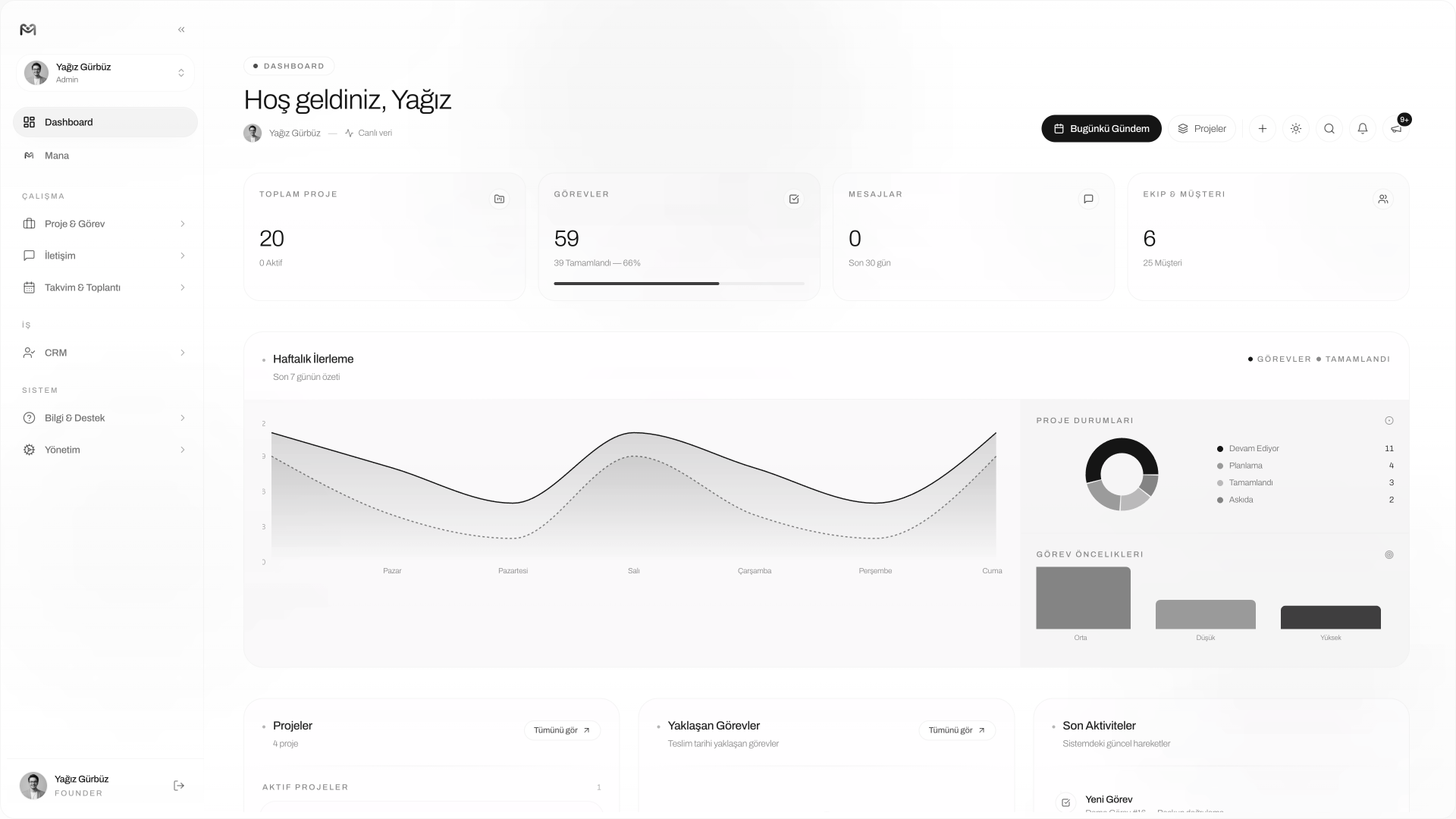
No sign up, no card, no setup. One click opens the real dashboard with projects, tasks, Mana AI and the calendar — exactly as if it were your own account.

No sign up requiredNo credit card neededAll modules unlocked
Live
Managelify live dashboard preview

Ready? Step inside the system.

No sign-up · No card · Open in 1 second

MANAGELIFY STRENGTHS

Where Managelify beats Notion AI.

Notion AI is one of the best at in-doc writing and summarizing; but it stays in the doc layer. For customers, tasks, contracts, invoices, scheduling and team chat you add HubSpot + DocuSign + QuickBooks + Calendly + Slack + Zoom and build integrations between them — Notion AI takes no action in those systems. Managelify delivers the same doc layer in the package and runs the entire WRM flow in one panel with one command via agentic Mana AI.

Agentic Mana AI — takes a command, actually does it

Notion AI 'writes, summarizes, answers inside the workspace'; Mana AI acts across all of Managelify's flows: opens projects, creates tasks, fills contracts, sends invoices, schedules calendar events. Notion AI stays in the doc layer; Mana AI moves through CRM, contract, invoice, calendar and Meet layers.

Not 'AI' — AI + WRM together

Notion AI is 'Notion + AI' — for projects, CRM, contracts, invoicing you add Asana, HubSpot, DocuSign, QuickBooks, Calendly, Zoom; AI takes no action in those systems. Managelify ships them in one package and Mana AI works across all of them. With one command the brief → tasks → contract → invoice flow completes.

Meeting → task → invoice flows automatically

Notion's AI Meeting Notes summarizes meetings but doesn't bind that to a CRM card, task board or invoice. Managelify Meet is built-in: Mana extracts actions from the transcript, links task cards to the relevant customer, and turns billable hours into invoice line items.

No Notion + AI add-on stack

Notion Business $20 + Notion AI $8–$10 + HubSpot Starter $20 + DocuSign $25 + QuickBooks $30 + Calendly $12 + Zoom $14 — for a 5-person agency the per-seat cost and add-ons quickly exceed $100. Managelify delivers all modules including Mana AI in one package; no add-on stack, no integration overhead.

Contract, invoice, payment in one panel

In a Notion stack the contract lives in PandaDoc/DocuSign, the invoice in QuickBooks, the follow-up task in Asana — Notion AI doesn't act in those systems, it only writes content. In Managelify the contract template auto-fills from customer data, goes for e-signature, the invoice is generated from the contract, and the payment-tracking task lands in the calendar — all with one Mana command.

Live in 10 minutes — no workspace or template setup

Building a CRM, project board and invoice table in Notion takes hours; every team's template is different and maintenance falls on the user. Managelify modules ship ready; you go live the same day.

NOTION AI STRENGTHS

When can Notion AI be the better pick?

For a fair comparison we also lay out where Notion AI is strong. For wikis, product documentation, content production and search across connected systems, it is one of the strongest AIs in the industry inside docs.

The gold standard of AI inside docs + databases

Notion AI is an industry leader for in-page writing, long-form generation, summary, translation, tone change, auto-fill tables, and AI Connectors (Slack, Drive, GitHub, Jira) for searching connected systems. For wikis, product documentation, content production and knowledge management, it can still be the right pick.

Template ecosystem & community

Thousands of ready templates, a massive community library and a flexible database model let Notion adapt to almost any workflow. Knowledge bases, personal productivity, OKRs and content calendars benefit from this rich ecosystem.

Broad integration network + API

The Notion API is mature and the third-party integration network is broad — Slack, Drive, GitHub, Jira, Linear, Salesforce and more. For 'Notion-first' teams, staying inside Notion is the path of least resistance; Managelify can integrate with Notion so content isn't duplicated.

PRICING

Is Managelify cheaper than Notion AI? In real work — clearly more efficient.

Notion Plus + AI add-on alone is affordable. But for real work, when you add Notion Business $20 + Notion AI $10 + HubSpot + DocuSign + QuickBooks + Calendly + Zoom, per-seat cost exceeds $100 plus integration maintenance. Managelify delivers all modules including Mana AI in one package.

Free planYes (free full plan for students)Notion Free exists · Notion AI is an add-on on most plans ($8–$10/seat/mo)
Starter planMore affordable · project + CRM + Meet + Mana AI includedPlus $10 + AI $8–$10 add-on (annual, USD)
Professional planAll modules included in one panelBusiness $20 + AI $8–$10 / Enterprise $25+ (USD/seat/mo)
All-in-one suiteAlready included in the standard planNotion + Notion AI + HubSpot + DocuSign + QuickBooks + Calendly + Zoom can exceed $100/seat
AI typeAgentic — takes commands, acts in the system; included in packageGenerative — writes/summarizes/answers in pages; extra add-on
Project & task management included?Yes — List/Kanban/TimelineBuilt manually with databases; real PM needs Asana/Linear/ClickUp
CRM included?Yes — 360° customer + sales + contract + invoiceNo — separate HubSpot/Salesforce/Pipedrive
Contract + invoice included?Yes — contract → invoice in one flowNo — separate DocuSign/PandaDoc + QuickBooks/Xero
Localized billingYes — multi-currency, regional supportNo — USD billing, US-based support
Setup time10 minutes · single panelHours to days · workspace, databases, templates and connections

Prices are taken from Notion's official site and may change. Check the provider's pricing page for the latest figures.
WHICH ONE FOR WHOM

Which one should you pick?

FREELANCER

PICK: MANAGELIFY

Notion + AI alone is insufficient for managing clients — the contract lives in PandaDoc, invoice in QuickBooks, scheduling in Calendly. Notion AI takes no action in those systems, it only writes inside the page. In Managelify, the customer card, tasks, scheduling, Meet, contracts, invoicing and agentic Mana AI are in one package, ready in 10 minutes; one command runs brief → contract → invoice.

AGENCY (5–20 PEOPLE)

PICK: MANAGELIFY

Notion Business $20 × 5 + Notion AI $10 × 5 + HubSpot + DocuSign + QuickBooks + Calendly + Zoom drives per-seat cost over $100 and thousands of dollars yearly, plus integration maintenance. Managelify solves it in one package and Mana AI acts across all modules.

CONTENT / DOCUMENTATION TEAMS

PICK: NOTION + MANAGELIFY

For teams running wikis, product documentation, content calendars and OKRs, Notion's flexible databases + template ecosystem + Notion AI's writing/summary power are still unmatched. These teams can keep Notion as the content / knowledge layer and add Managelify on top as the CRM + project + contract + invoice + Meet WRM layer; the two are complementary, not competitors.

SMALL TEAM / STARTUP

PICK: MANAGELIFY

Building and maintaining a Notion + 5–7 tool stack costs an early-stage startup time; Notion AI writes documents but takes no action in sales, billing or customer follow-up. Managelify delivers it all in one panel; you go live the same day, Mana AI handles the routine, and brief → contract → invoice runs in a single flow.

MIGRATION GUIDE

Move from Notion AI to Managelify in 1–2 days.

Without losing data or confusing the team. Map Notion databases to Managelify projects and customer cards; bind brief + contract + invoice records to the customer card; move wiki pages to Workspace or keep them in Notion and embed the link; automate the brief → tasks → contract → invoice flow with Mana AI.

STEP 1

Map your Notion workspace

Extract customer/project databases from Notion. In Managelify each customer becomes a 360° card and each engagement a project; Notion records are exported as CSV and mapped to Managelify customer/project fields. Notion page links can also be embedded in the project card.

STEP 2

Bind brief + contract + invoice records to the customer card

Brief pages and PDF attachments from Notion are uploaded to the relevant Managelify customer card. PandaDoc/DocuSign contracts are imported as templates so the next customer is one click. QuickBooks/Xero invoice records are linked to the customer card.

STEP 3

Move wiki / documentation to Workspace or keep in Notion

SOPs, onboarding and knowledge base pages can be moved to Managelify Workspace (blocks + live widgets) or kept in Notion with the link embedded. Both approaches are supported; Notion-heavy teams can keep the content layer in Notion.

STEP 4

Turn on Mana AI

Tell Mana: 'Extract 12 task cards from this Notion brief, fill the contract with customer data and send for e-signature, prepare the invoice from the contract, open a payment follow-up task.' Notion AI generates the same command as text inside a page; Mana turns the command into real action.

MANA AI

Notion AI writes in the page. Mana AI acts in the system.

Notion AI generates long-form text, summarizes, translates and searches connected systems inside the page — very strong at the doc layer but takes no action in external systems and is an add-on on most plans. Mana AI ships in the Managelify package, with no extra credits, and behaves agentically: when you say "extract 12 task cards from this brief, fill the contract template with customer data and send for e-signature, prepare the invoice from the contract, open a payment follow-up task" it actually does it — the contract is filled, the invoice is sent, the task is planned, the calendar is updated.

How Mana AI works

EXAMPLE COMMAND

"Extract task cards from this brief page, fill the contract with customer data, send for e-signature, prepare the invoice, open a payment follow-up task."

  • Brief read, 12 task cards created
  • Contract template auto-filled
  • Sent for e-signature, linked to customer card
  • Payment follow-up task opened, scheduled
FREQUENTLY ASKED QUESTIONS

Managelify vs Notion AI — clear answers.

Is Managelify or Notion AI better?

For long-form writing, wikis, summarizing docs and searching connected systems, Notion AI is one of the strongest AIs in the industry. But if you want real work management — CRM + project + contract + invoice + Meet + agentic AI in one panel — Managelify is clearly better. Notion AI writes inside the doc; Mana AI acts in the system. Agencies, freelancers and customer-facing teams should pick Managelify; content / wiki teams should pick Notion AI. The two can also complement each other: Notion as the content layer, Managelify as the WRM layer on top.

What is a strong alternative to Notion AI?

For purely in-page AI writing there is no direct alternative to Notion AI — but if you also want work management + agentic AI, Managelify is a strong alternative. It brings a real built-in project management, CRM, contract, invoicing, team chat, scheduling page, built-in Meet and agentic Mana AI in one package, all of which are missing from Notion.

Is migrating from Notion AI to Managelify hard?

No. Customer, project and task databases in Notion are exported via CSV and mapped to Managelify customer / project / task cards. Brief pages and PDFs are uploaded to the customer card. Wiki and SOP pages can be moved to Workspace or kept in Notion with the link embedded. A typical freelancer or small team finishes in 1–2 days.

Is Managelify cheaper than Notion AI?

If you only compare Notion Plus + AI add-on ($10 + $8) it's similar. But for real work, when you add Notion Business $20 + Notion AI $10 + HubSpot + DocuSign + QuickBooks + Calendly + Zoom, per-seat cost exceeds $100 and a 5-person agency reaches thousands of dollars yearly, plus integration maintenance. Managelify delivers it all including Mana AI in one package — total cost and operational overhead are far lower.

What is the real difference between Mana AI and Notion AI?

Notion AI is generative: it writes, summarizes, translates and answers inside the page — very strong at the doc layer. Mana AI is agentic: it produces real action across Managelify's project, task, CRM, contract, invoice, Meet and calendar modules. When you say 'extract task cards from this brief, fill the contract, send the invoice', Notion AI writes content inside the page; Mana fills the contract with customer data, sends it for e-signature, creates the invoice and opens the follow-up task. Notion AI writes and summarizes; Mana plans and acts.

Does Notion AI include CRM and invoicing?

No. You can build a basic CRM table with Notion databases, but for a real 360° customer card, sales pipeline, contract templates, e-signature, invoicing and payment tracking you add HubSpot/Salesforce/Pipedrive + DocuSign/PandaDoc + QuickBooks/Xero. Notion AI takes no action in those systems, it only searches connected information. In Managelify everything is built-in and Mana AI runs the brief → contract → invoice flow with a single command.

Do I have to drop Notion entirely?

No — you don't. Teams running wikis, content calendars and long-form documentation can keep Notion as the content / knowledge layer. Managelify integrates with Notion; a Notion page link can be embedded in a Managelify project or customer card so content isn't duplicated. Notion produces content, Managelify manages the working relationship, and Mana AI acts between the two layers.

AUTHOR

Yağız Gürbüz

Founder of Managelify · 10+ years of experience in work management & CRM · Backed by MEF TEKMER & KOSGEB.

LinkedIn profile
Last updated: May 8, 2026

MANAGELIFY

AI shouldn't just write — it should actually do.

No need for a Notion + AI + HubSpot + DocuSign + QuickBooks + Calendly + Zoom stack. Open the professional panel in one click; try CRM, projects, Workspace, Mana AI and Meet yourself.